SessionVue clinical snapshots
A one-page read on each client’s week: mood trends and contributing factors, journal themes, completed and missed work, goal progress, and suggested areas to explore. AI drafts it. You decide what matters.
Navigator, for clinicians using Qwandery
Your clients live their lives in the 167 hours you don't see them. The Qwandery app keeps them connected to their treatment during that time. Navigator shows you what happened, so every session starts where the last one actually left off.
Already using Navigator? Sign in
Since last session
The gap
Good clinical work depends on knowing what's going on with a client. Most of that happens where you can't see it.

“So, how was your week?”The most important question in therapy, answered from memory.
Dropout rarely announces itself. It shows up as a cancelled appointment after weeks of quiet disengagement nobody could see.
Sessions run on recall. Clients summarize the last two days, and the hard Tuesday that mattered most gets forgotten.
Scoring assessments, chasing homework, and assembling notes pulls time and attention away from the person in the room.
The Qwandery platform
Your clients use the Qwandery app between sessions. You use Navigator to see what they share and to guide what comes next. Neither replaces the session. Together they make it count for more.
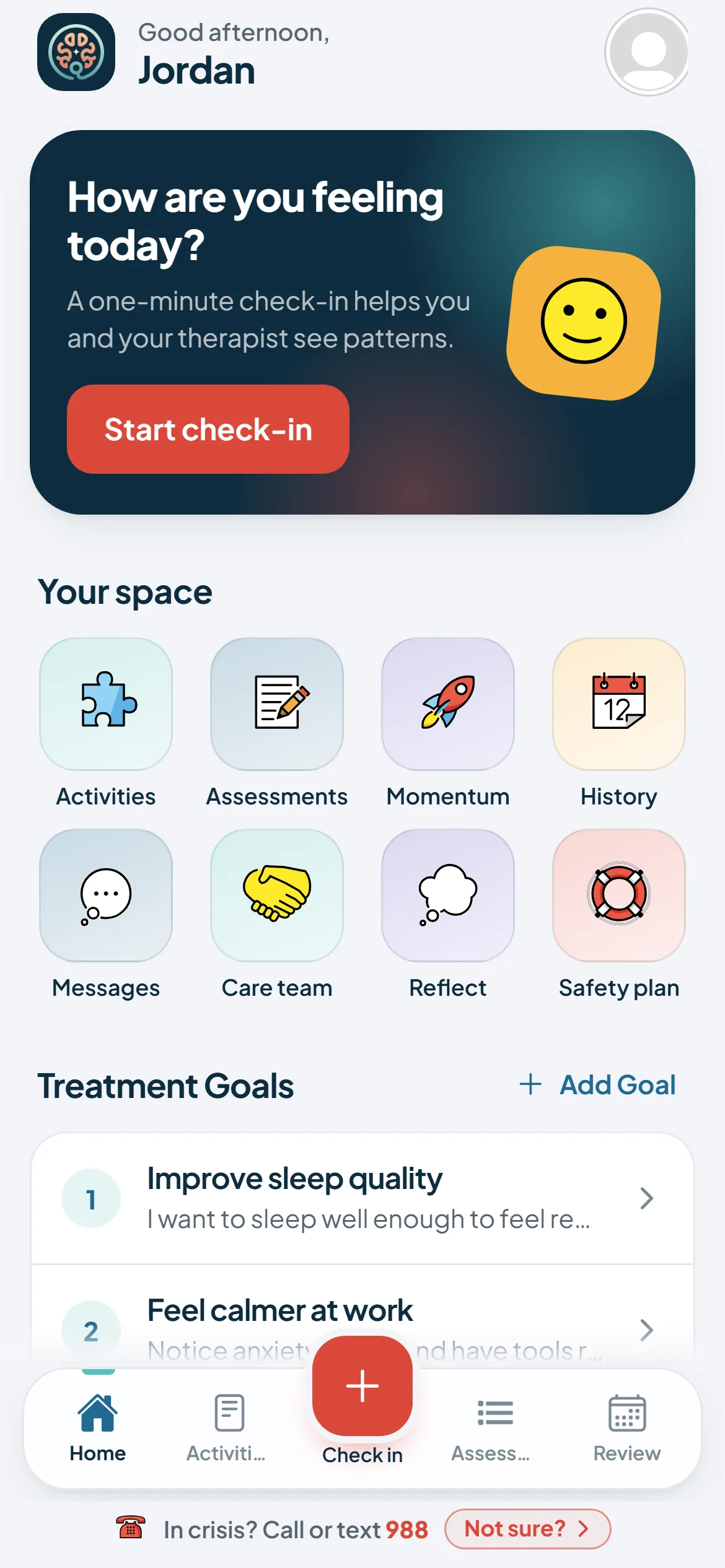
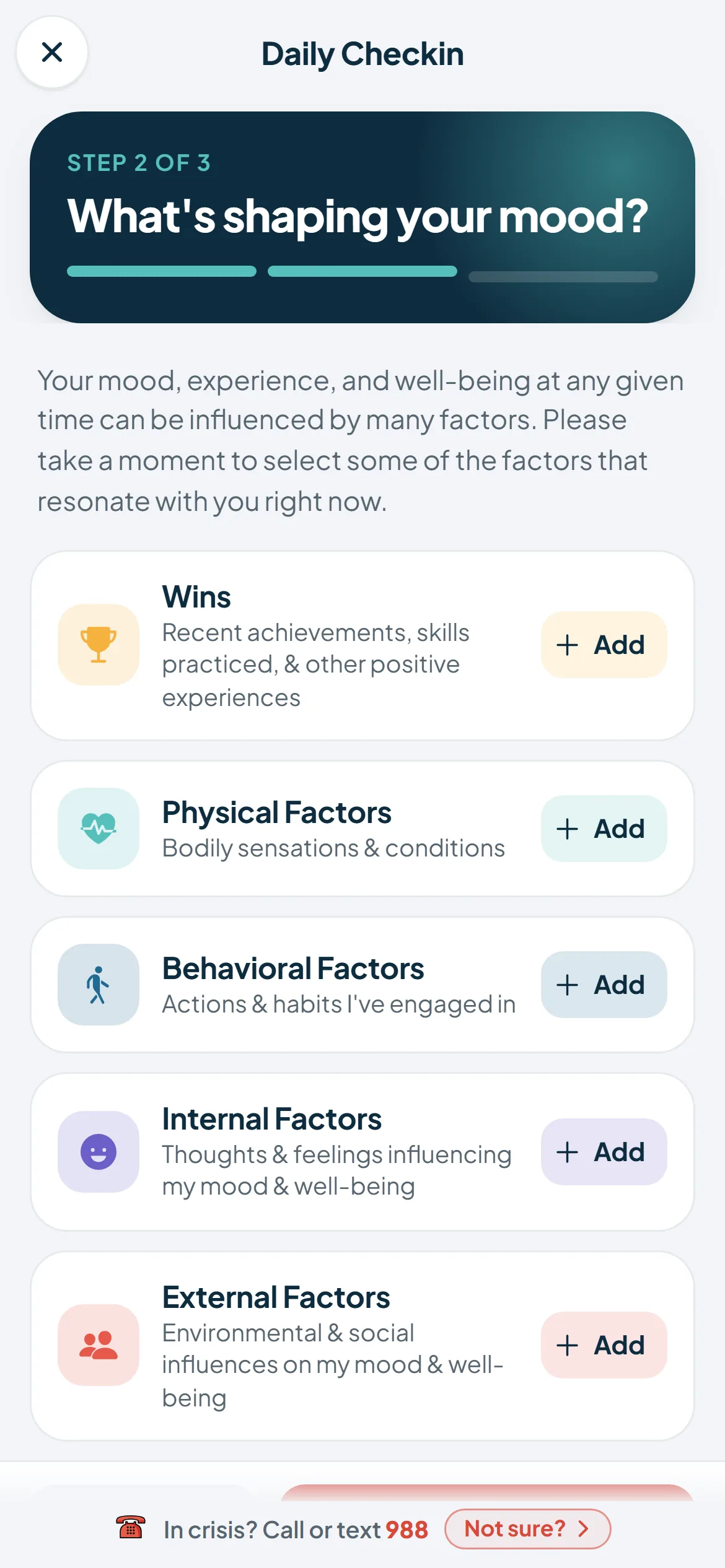
For clients
For clinicians and practices
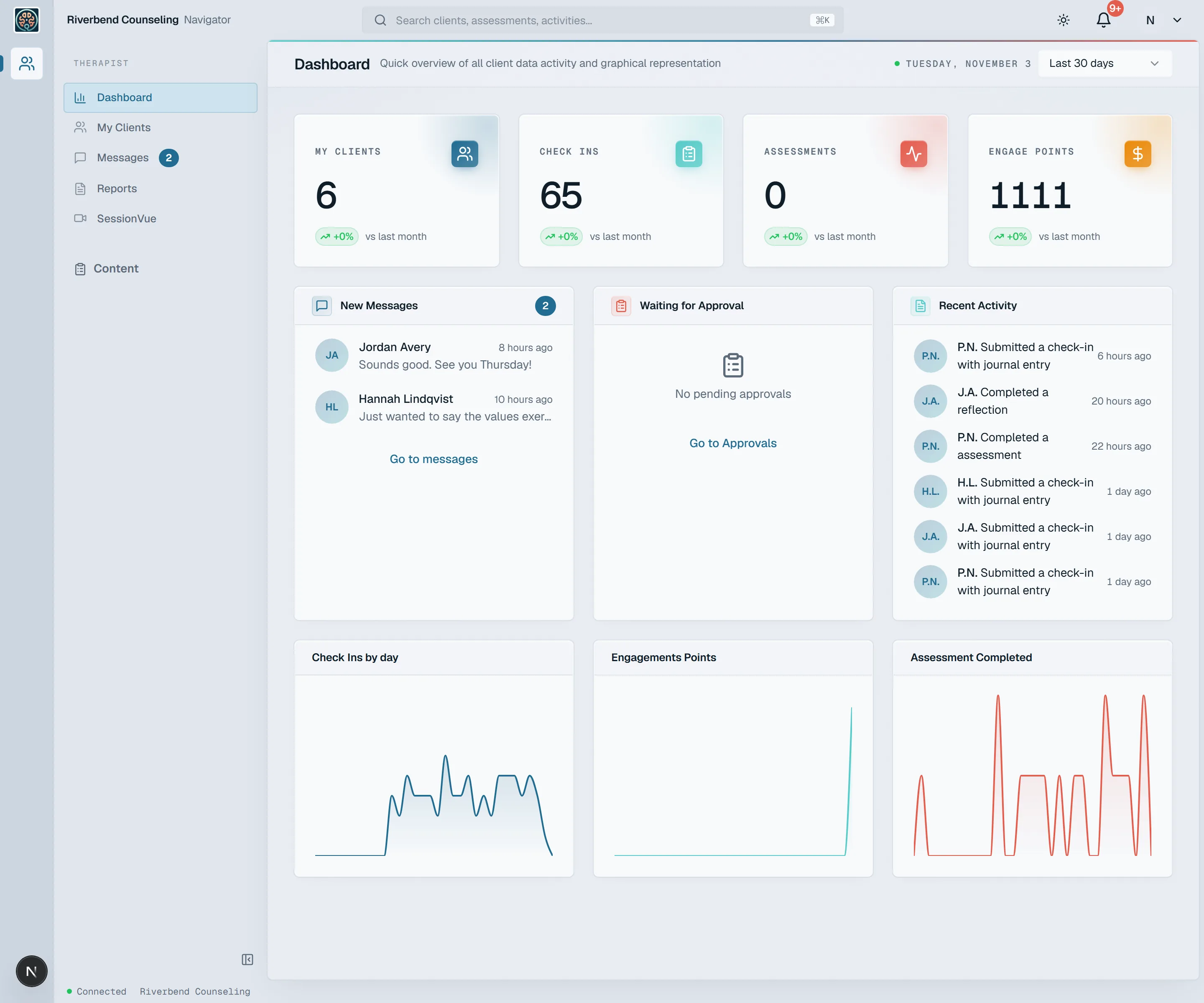
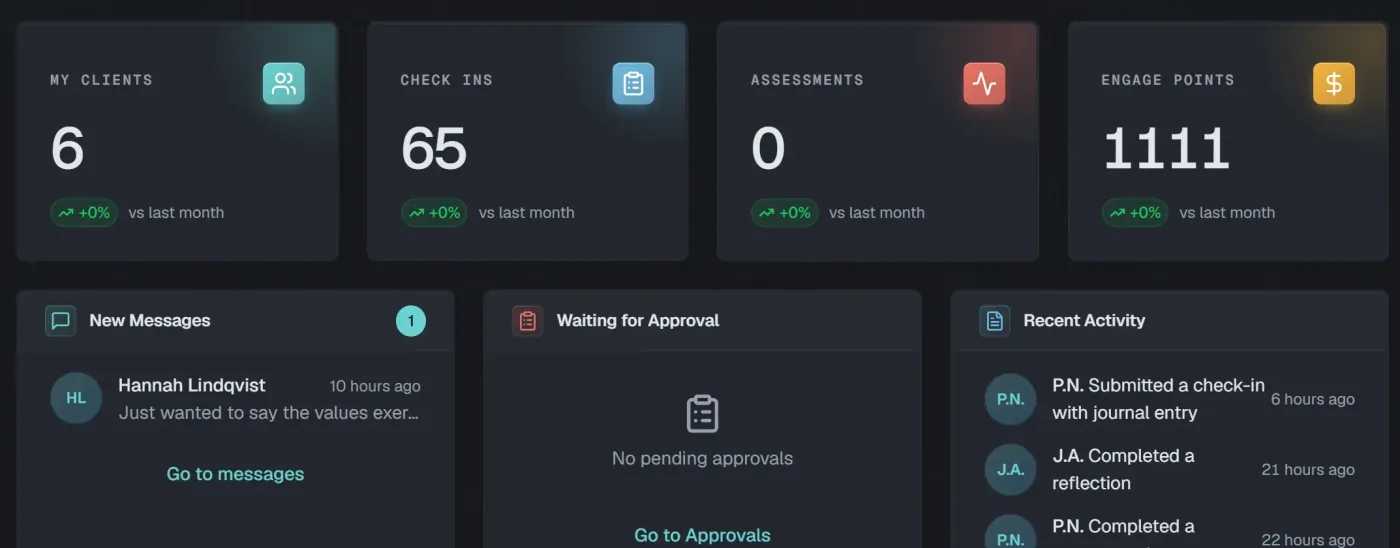
Everything your clients log in the app comes together in one view, so you walk into the room already oriented.
What Navigator does
Designed with input from a practicing clinician around the way that therapy actually works.
A one-page read on each client’s week: mood trends and contributing factors, journal themes, completed and missed work, goal progress, and suggested areas to explore. AI drafts it. You decide what matters.
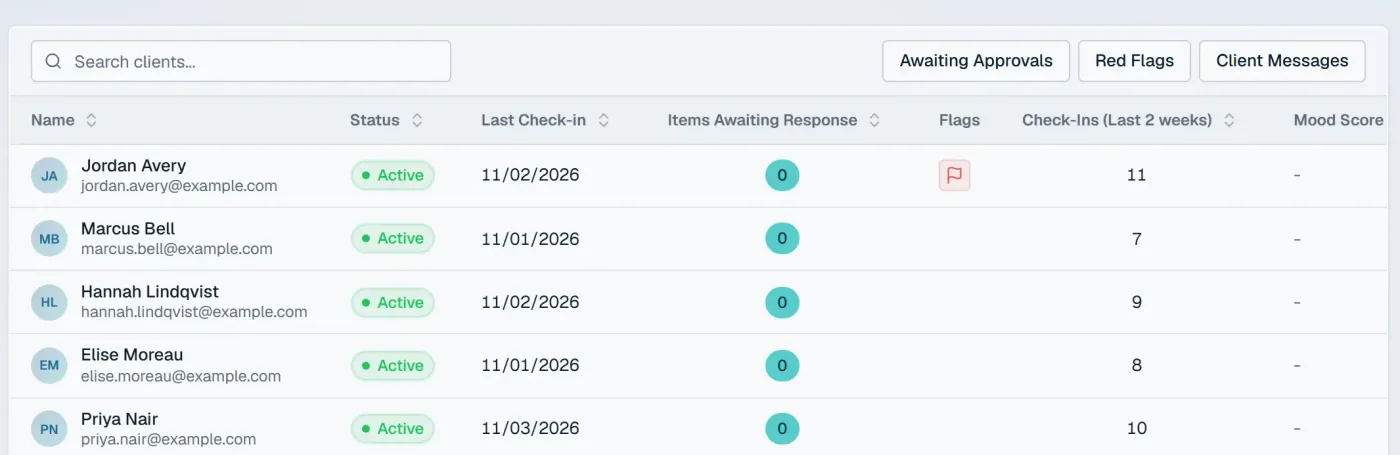
Check-ins, completed assessments, and engagement trends across your caseload, over 7, 30, or 90 days.
Raise and track flags on clients who need a closer look, so nothing slips between visits.
Goals broken into objectives, interventions, and skills, visible to your client every day in the app.
Assign standardized measures and watch scores move over time instead of comparing notes from memory.
More on validated assessmentsDaily check-ins and journal entries roll up into patterns you can actually see.
Build and assign activities, exercises, reflections, safety plans, and multi-unit courses. Keep them private or share them with your practice.
More on content libraryReal-time conversations with clients, inside the same system as their care.
Therapist reviews, engagement, treatment progress, and assessment completion, exported as PDFs, with optional AI insights.
For managers: invite therapists and clients, assign caseloads, import clients in bulk, and set the practice’s logo and settings.
Assessments
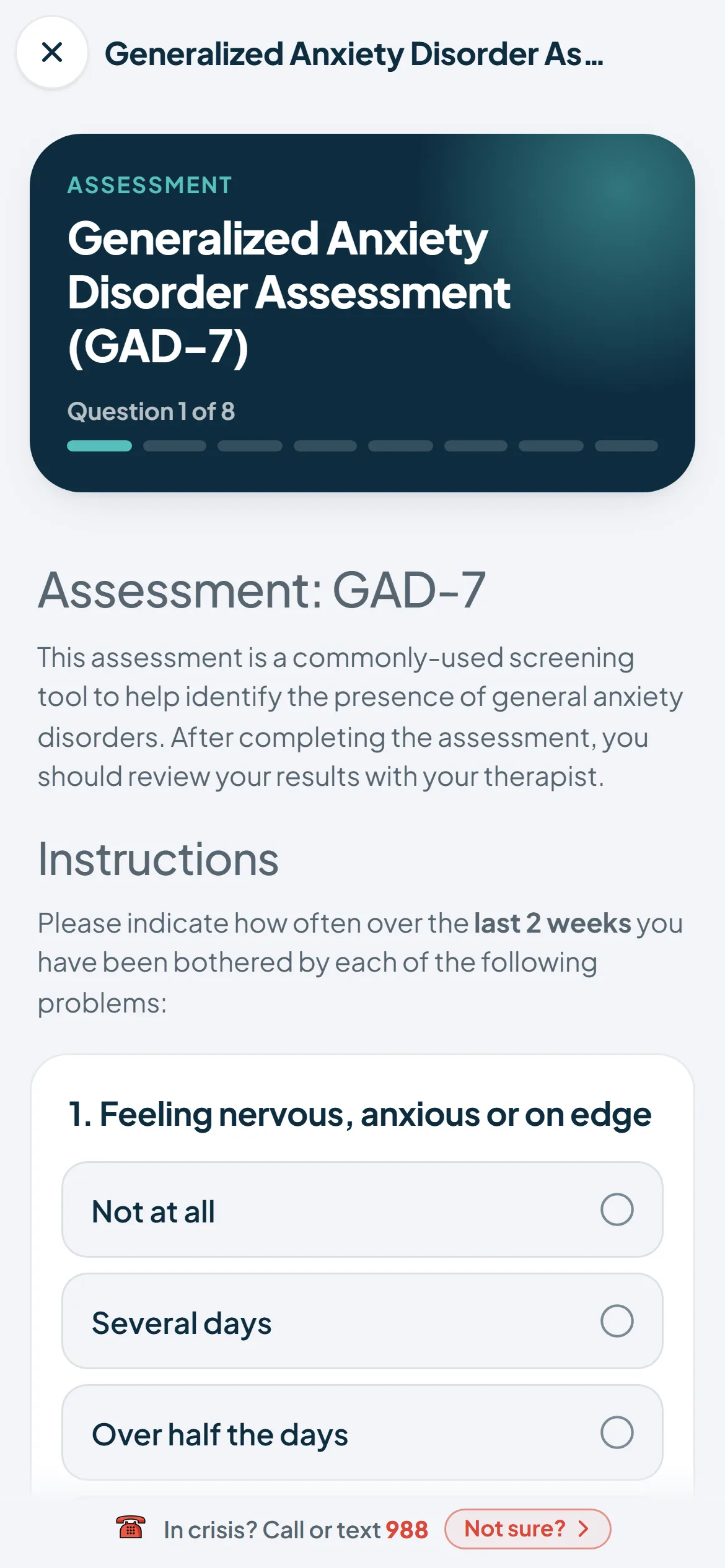
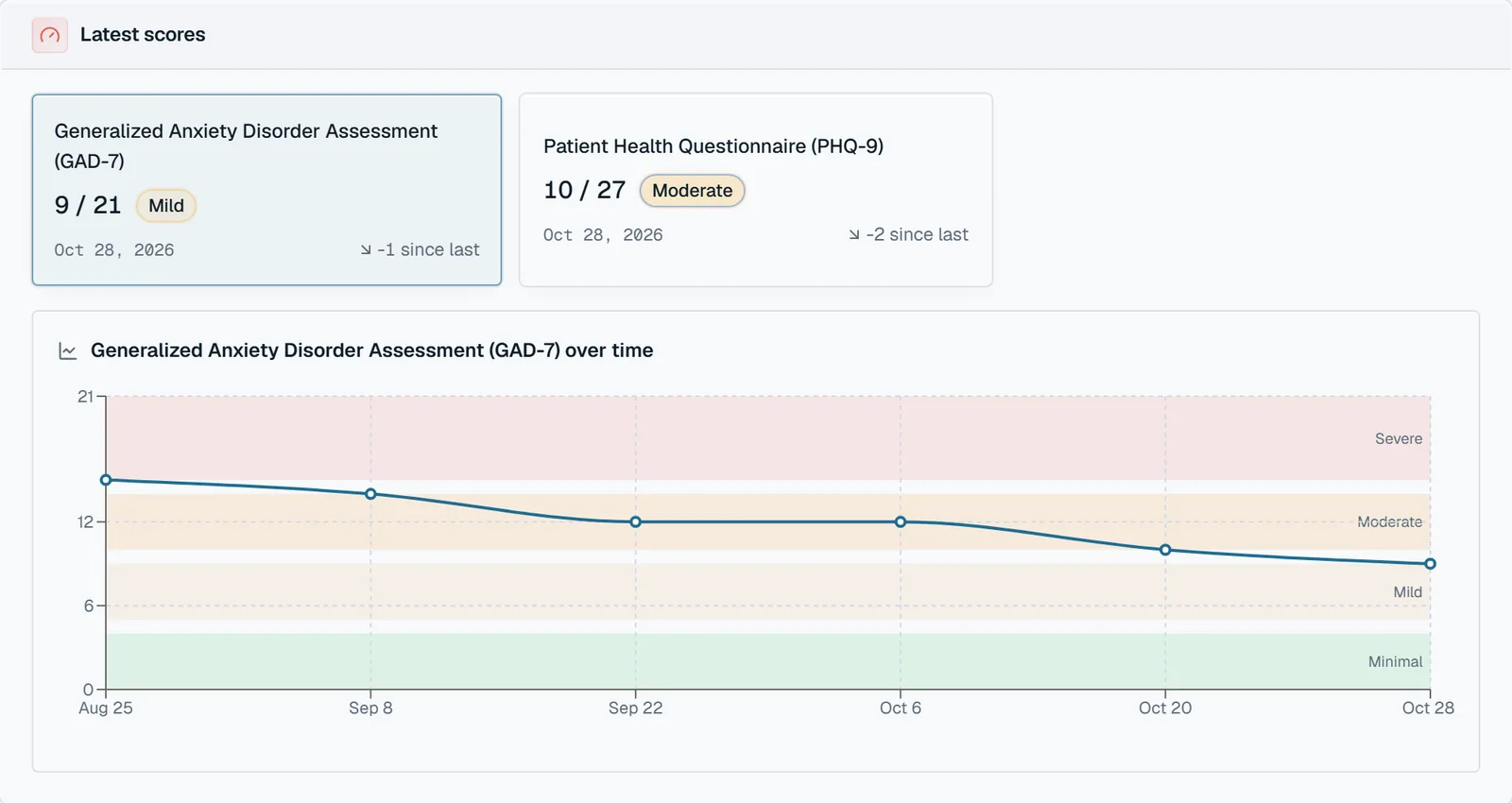
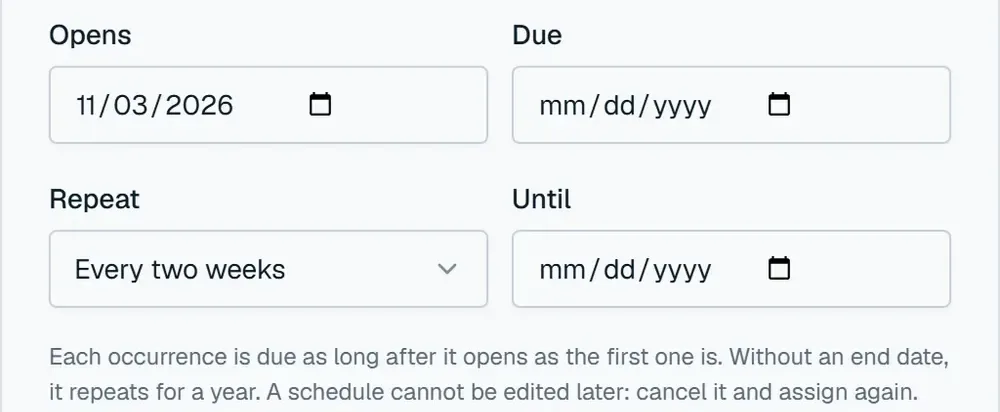
Assign standardized measures (PHQ-9, GAD-7 and CES-D are built in) once or on a repeating schedule. Clients complete them in the Qwandery app between visits. Navigator scores them and charts each client's results over time.
Courses and activities
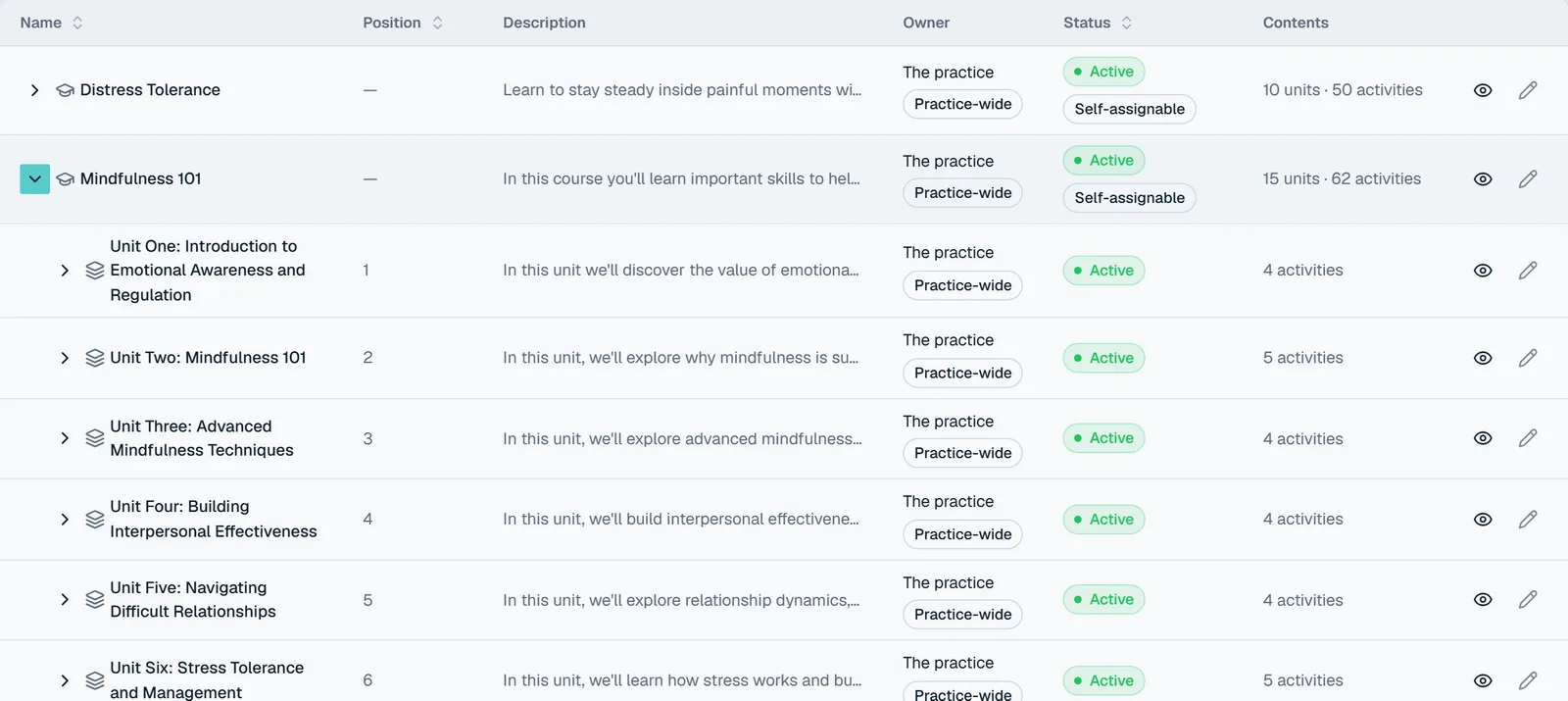
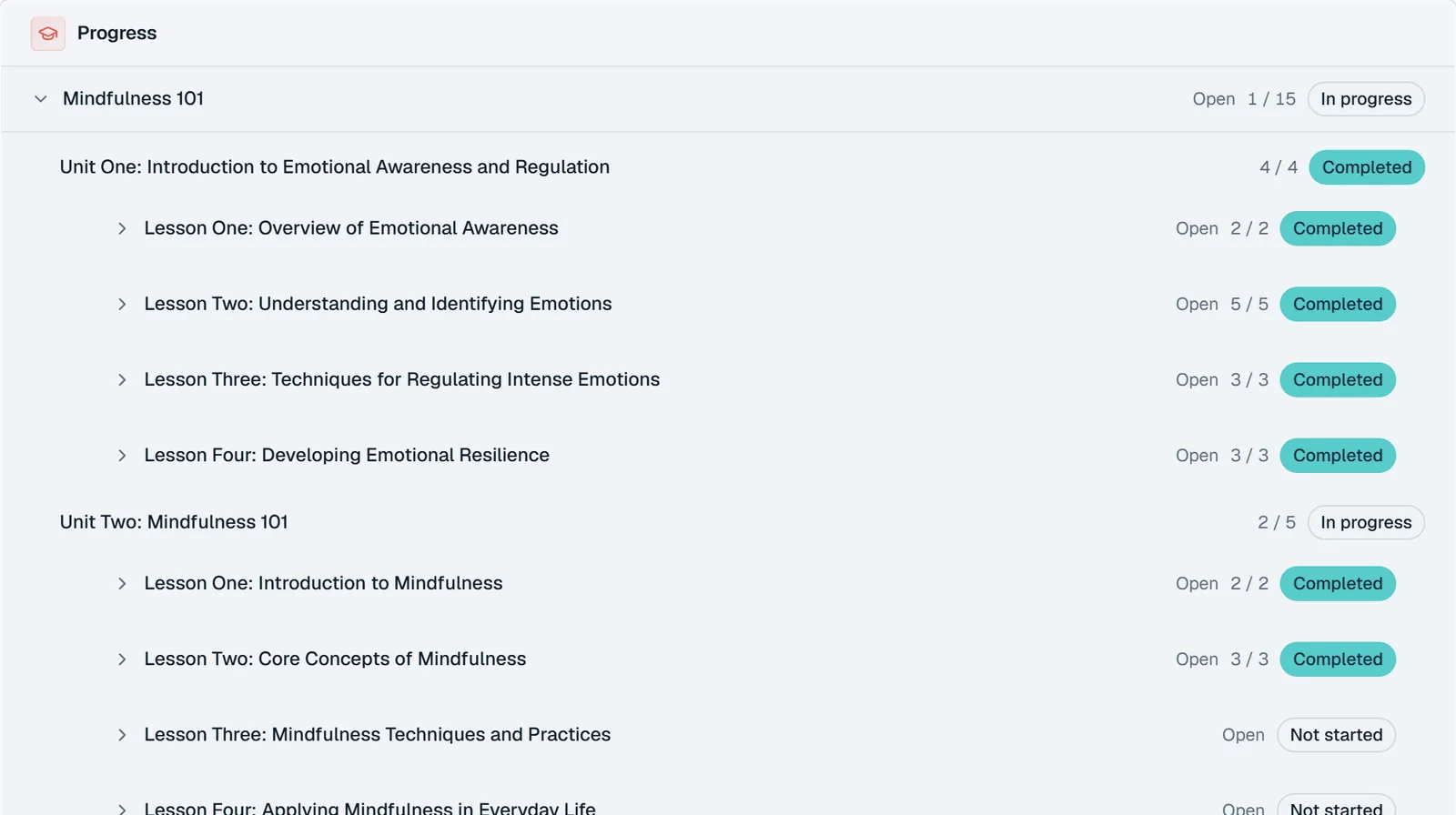
Assign exercises, lessons, reflections and multi-unit courses from your library, with a note and an opening date. Two complete courses, Mindfulness 101 and Distress Tolerance, come ready to assign.
Take a look
Real screens from the app, shown with fictional demo clients.
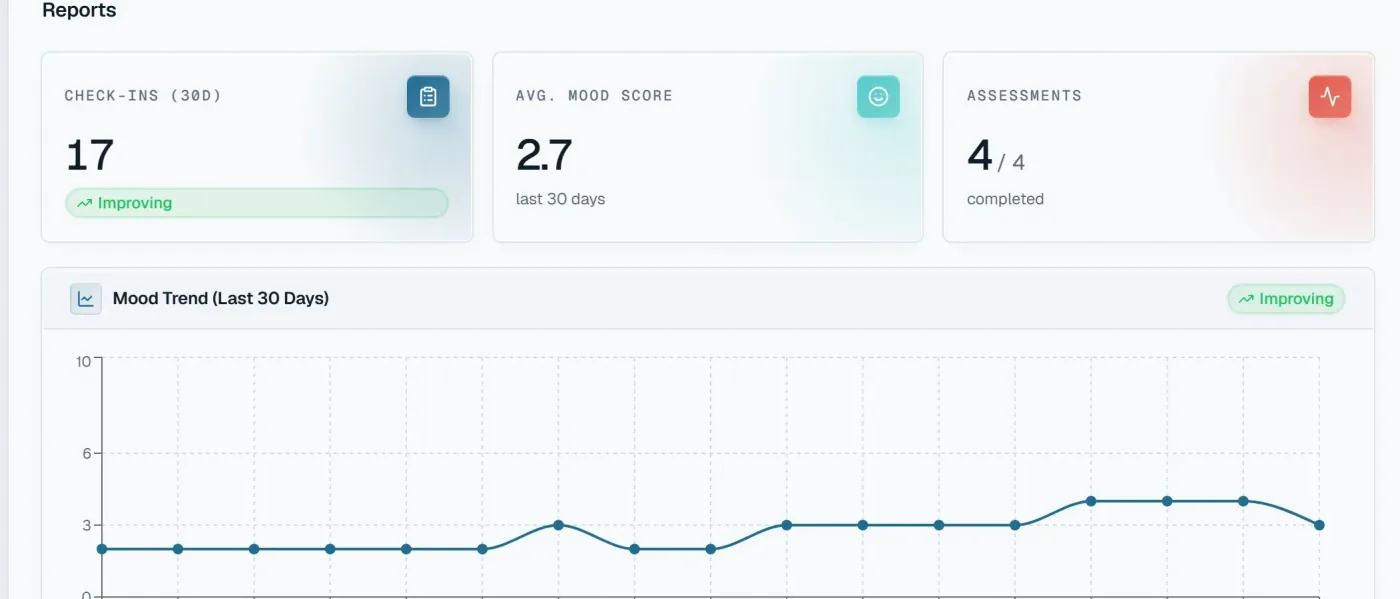
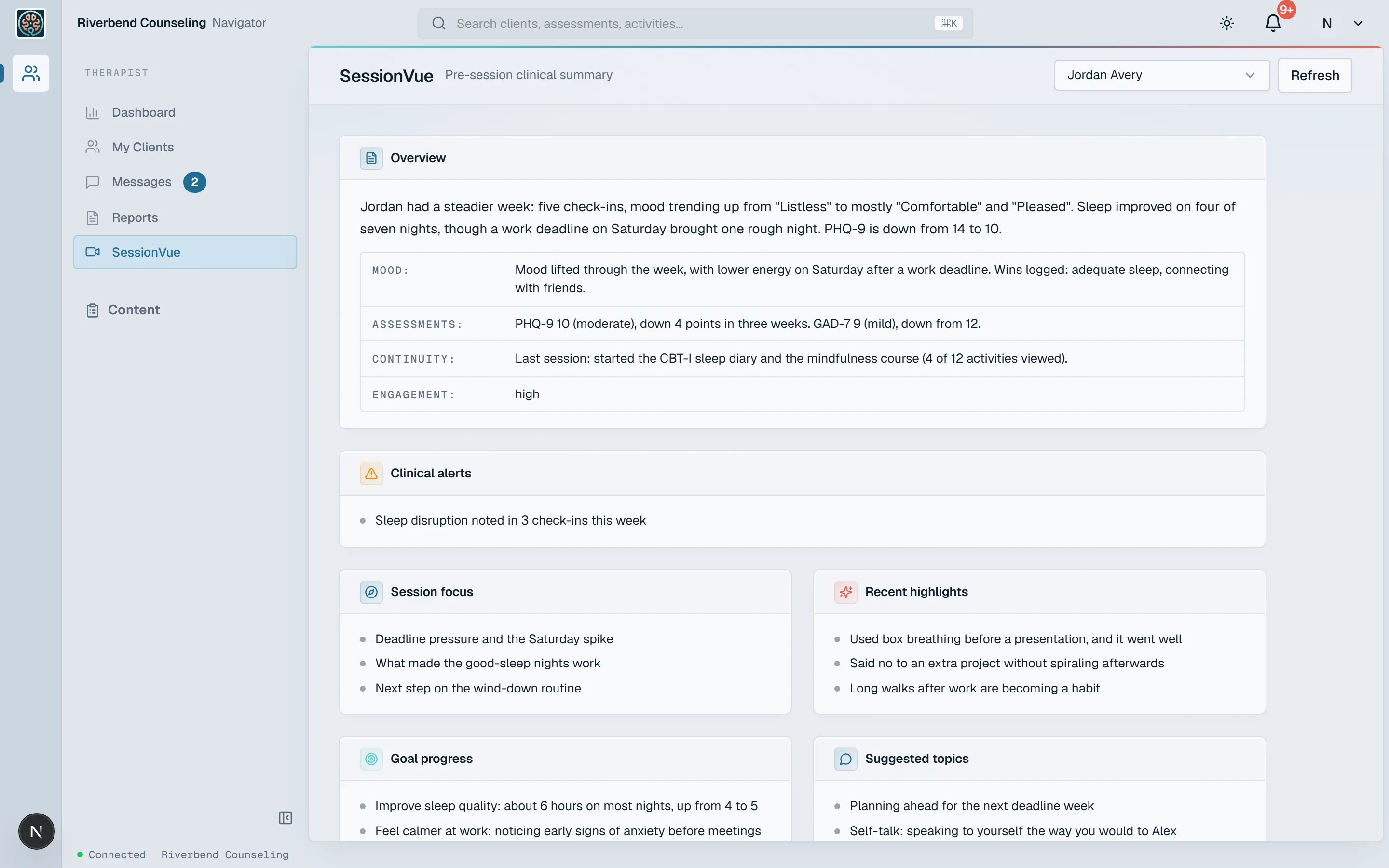
A pre-session summary of the client’s week: mood, assessment changes, what carried over from last time, anything worth a closer look, and suggested areas to focus on.
Who it’s for

If you lead a group practice, each clinician gets their own caseload and you get the whole picture. Each practice is its own space, with its own clients, staff, and settings.
How it works
No migration project. We help you get set up, then you’re five steps from a better session.
Tell us about your practice. We set up your organization with you and invite your clinicians.
Send each client an invitation to the Qwandery app, or import your existing caseload in bulk.
Add treatment goals, then assign assessments, activities, and courses from your library.
Before a session, open SessionVue or the client’s check-ins to see how the week really went.
Message between visits, watch progress on the dashboard, and generate reports when you need them.

Our vision
Qwandery started with a simple observation from the therapy room: the work that changes lives happens between appointments, and clinicians have almost no view of it. We're building the connective tissue, a client app that makes treatment part of everyday life and a clinician platform that turns that everyday life into insight. For clinicians, that means better engagement, less burnout, and more time for the work you trained for.
Navigator surfaces information. Clinical judgment stays with you, every time.
SessionVue turns each client’s week into a one-page snapshot: mood trends, journal themes, goal progress, and what’s worth exploring next.
Built with a practicing therapist, for the relationship at the center of therapy.
The Qwandery app is what your clients use between sessions for check-ins, goals, reflections, and assigned work. Navigator is the web platform you use to see that activity, plan treatment, and run your practice. They’re two halves of one system.
Yes. The app is where clients check in, journal, and complete the assessments and activities you assign. Navigator is where that work becomes visible to you. You invite clients from Navigator, and they join from the app.
No. SessionVue summarizes what a client logged and suggests areas you might explore. It never diagnoses, never contacts clients, and never acts on its own. You decide what’s clinically relevant.
No. Qwandery supports ongoing treatment between sessions. It doesn’t provide diagnosis, treatment, or emergency services, and it isn’t monitored in real time. Clients in crisis should contact local emergency services or a crisis line.
Yes. Invite clients one at a time, or import your caseload in bulk from the practice area and review any rows that need attention.
Yes. Navigator is built around organizations. Managers invite therapists, assign caseloads, set the practice’s logo and brand color, and each organization’s data is kept separate from every other.
Tell us about your practice, and we’ll help you bring your first clients on.